Browshot blog
This blog provides updates on the API and features offered by Browshot. Subscribe to our blog to stay up to date on the service.
Mar 3, 2012
 Screenshots take only an average of 15s only, including the time to load the target page. But we are always trying to make the service better. Having even faster screenshots was the #1 improvement asked. We have heard you, and we have made several improvements.
Faster dashboard
Although most of the screenshots are done in 15 seconds or less, the dashboard was refreshed every 45 seconds only. This may have given the impression of slow screenshots too many users. The status of the screenshots is now updated every 2s.
Faster first screenshot
There used to be a delay of up to 15 second for the first screenshot requested on an idle virtual browser. This has been brought down to 1 second! The first screenshot should now be as fast as the following requests.
Faster page load
Most of the time required for a screenshot is spent waiting for the target page to load. We have tweaked all our desktop and mobile virtual browsers to browse the web faster. This should improve the loading time by about 15%.
We are looking at additional infrastructure improvements to decrease the load time of target pages.
We were able to roll out these improvements without any downtime, and without interrupting any of the screenshots in process.
See more...
Feb 19, 2012
We have added 4 new help pages to help you get the most out of Browshot:
- wget: use wget from the command line to request screenshots and thumbnails
- curl: use curl from the command line to request screenshots and thumbnails
- fetch: use fetch from the command line to request screenshots and thumbnails
- POST data and Referrer: access pages requiring authentication, take a screenshot after filling out a form, etc.
You can use your favorite command line tool to request screenshots with the help of the 3 examples above.
Did you know the average time to get a screenshot is only 15 seconds? This includes the loading time of the target page. We have already served more than 320,000 screenshots and many more thumbnails.
See more...
Feb 5, 2012
We have introduced two new arguments in the API 1.5: Referrer and POST data. These options are used to customize the HTTP requests done by Browshot.
Referrer
The HTTP Referrer header indicates the page previously visited. Some websites use it to display different content for users coming from a Google search, for example, for users who come from a different page on the domain, etc.
Example:
Set the HTTP Referrer to http://www.google.com/?q=test:
refer=http%3A%2F%2Fwww.google.com%2F%3Fq%3Dtest
POST data
You can now send POST request with custom data. This is useful to take the screenshot of page after filling out a form. This can be used to take screenshots of a page behind a login form for example.
Make sure you encode the POST Data correctly if you do not use one of Browshot's library.
Example
Send a logjn=foo and password=bar:
post_data=login%3Dfoo%26password%3Dbar
The library have been updated to version 1.5, but previous versions can handle the 2 new options as well.
These new options are supported with premium browsers only.
See more...
Jan 18, 2012
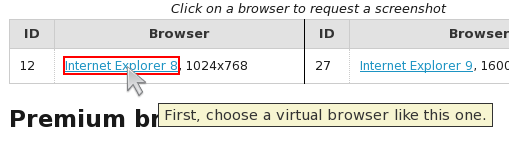
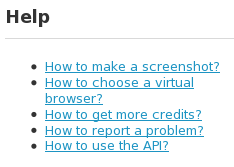 We are trying to make Browshot easier to use. After release a new simple API, we have now made the dashboard simpler to use.
There is also a new Help section. You should really try it out! It shows exactly where to look, and where to click to take a screenshot, to choose a virtual browser, to get more credits, etc.
See more...
Jan 14, 2012
You can now requests a screenshot, and retrieve the thumbnail in one request thanks to the new Simple API. For example, get a 640x480 screenshot of http://mobilito.net/:
https://api.browshot.com/api/v1/simple?url=http://mobilito.net/&\
width=640&height=480&key=my_api_key
That enables Browshot users to request screenshots from the command line, using wget or curl:
$ wget "https://api.browshot.com/api/v1/simple?url=http://mobilito.net/&\
width=640&height=480&key=my_api_key" -O /tmp/mobilito.png
[...]
HTTP request sent, awaiting response... 302
Location: /wait?s=30&r=/api/v1/simple/318762%3Fwidth[...]
[following]
[...]
HTTP request sent, awaiting response... 200
Length: 115812 (113K) [image/png]
Saving to: `/tmp/mobilito.png'

$ file /tmp/mobilito.png
/tmp/mobilito.png: PNG image data, 640 x 480, 8-bit/color
RGB, non-interlaced
You can get more information on the API documentation page.
See more...